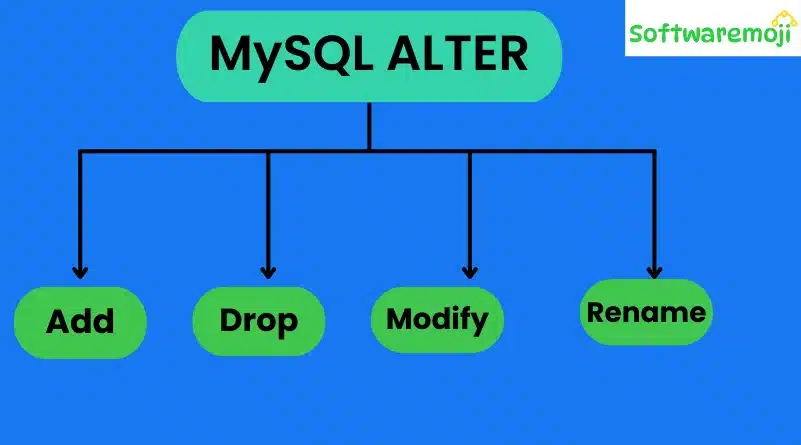
What is the ALTER Command?
MySQL ALTER: The ALTER command in MySQL allows you to modify an existing database, table, or other database objects without losing data.
🔹 Why Use ALTER?
✔ Add or remove columns in a table
✔ Modify column data types
✔ Change column constraints
✔ Rename tables and columns
🔹 Basic ALTER Syntax
sql
ALTER TABLE table_name ADD COLUMN column_name data_type;
Example: Adding a New Column
sql
CopyEdit
ALTER TABLE members ADD COLUMN credit_card_number VARCHAR(25);
✅ This adds a new column credit_card_number without affecting existing data.
What is the DROP Command?
MySQL ALTER: The DROP command is used to delete a database, table, or column permanently.
🔹 Basic DROP Syntax
sql
DROP TABLE table_name;
Example: Dropping a Column
sql
ALTER TABLE members DROP COLUMN credit_card_number;
✅ This removes the credit_card_number column from the members table.
Example: Dropping a Table
sql
DROP TABLE categories_archive;
✅ This deletes the entire categories_archive table.
What is the RENAME Command?
MySQL ALTER: The RENAME command changes the name of an existing table or column without affecting the data.
🔹 Basic RENAME Syntax
sql
RENAME TABLE old_table_name TO new_table_name;
Example: Renaming a Table
sql
RENAME TABLE movierentals TO movie_rentals;
✅ This renames the movierentals table to movie_rentals.
What is the CHANGE Command?
MySQL ALTER: The CHANGE command allows you to rename a column, modify its data type, and apply constraints.
🔹 Basic CHANGE Syntax
sql
ALTER TABLE table_name CHANGE COLUMN old_column_name new_column_name new_data_type constraints;
Example: Changing Column Name and Data Type
sql
ALTER TABLE members CHANGE COLUMN full_names fullname CHAR(250) NOT NULL;
✅ Renames full_names to fullname and changes data type to CHAR(250) NOT NULL.
What is the MODIFY Command?
The MODIFY command is used to change the data type and constraints of a column without renaming it.
🔹 Basic MODIFY Syntax
sql
ALTER TABLE table_name MODIFY column_name new_data_type constraints;
Example: Modifying Data Type
sql
ALTER TABLE members MODIFY fullname CHAR(50) NOT NULL;
✅ Changes the fullname column’s width to 50 characters without renaming it.
What is the AFTER Keyword?
The AFTER keyword allows you to place a new column at a specific position in the table.
🔹 Basic AFTER Syntax
sql
ALTER TABLE table_name ADD column_name data_type AFTER existing_column;
Example: Adding a Column After Another Column
sql
ALTER TABLE members ADD date_of_registration DATE NULL AFTER date_of_birth;
✅ Adds date_of_registration right after date_of_birth.
Summary of MySQL ALTER, DROP, RENAME & MODIFY Commands
✔ ALTER – Modify tables (add, change, or delete columns).
✔ DROP – Permanently delete a database, table, or column.
✔ RENAME – Rename tables or columns.
✔ CHANGE – Rename a column while changing its data type and constraints.
✔ MODIFY – Change a column’s data type without renaming it.
✔ AFTER – Insert a column in a specific position within a table.
Next Steps: Try these commands on your MySQL database to see them in action!